How to record a hackathon demo video in 20 minutes
Judges watch the video, not the repo. A 20-minute routine to record your demo, cut it to the time limit, and get it on YouTube before submission closes.
Most hackathon projects lose points somewhere between the last commit and the submission form. Not because the build was weak. Because the demo video was recorded in one take at 4:52am, runs six minutes against a three-minute cap, and opens with forty seconds of somebody explaining the team name.
Judges do not read your repo. With sixty submissions and one afternoon, they watch the video and skim the description. Give the video twenty real minutes and you will beat projects that shipped more than you did.
Here is where those twenty minutes go.
Minutes 1 to 4: decide what the demo is
Write the sentence first: "This shows a person doing X, and it works."
Now pick the single path through your app that proves that sentence. One path. If you built three features, demo the one that would be hardest to fake and put the rest in the YouTube description.
Two things to set up before you touch record:
- Log into a seeded demo account. Empty states are the number one reason a working hackathon project looks broken on video.
- Have the app running and warm. Nobody wants to watch
npm run dev, and nobody wants to watch a cold first request take nine seconds.
Then click the whole path once with your mouth closed. You are hunting for the modal you forgot, the slow API call, and the console error that only shows up on first load. Every take that dies at 0:30 dies on one of those.
Minutes 5 and 6: set the frame
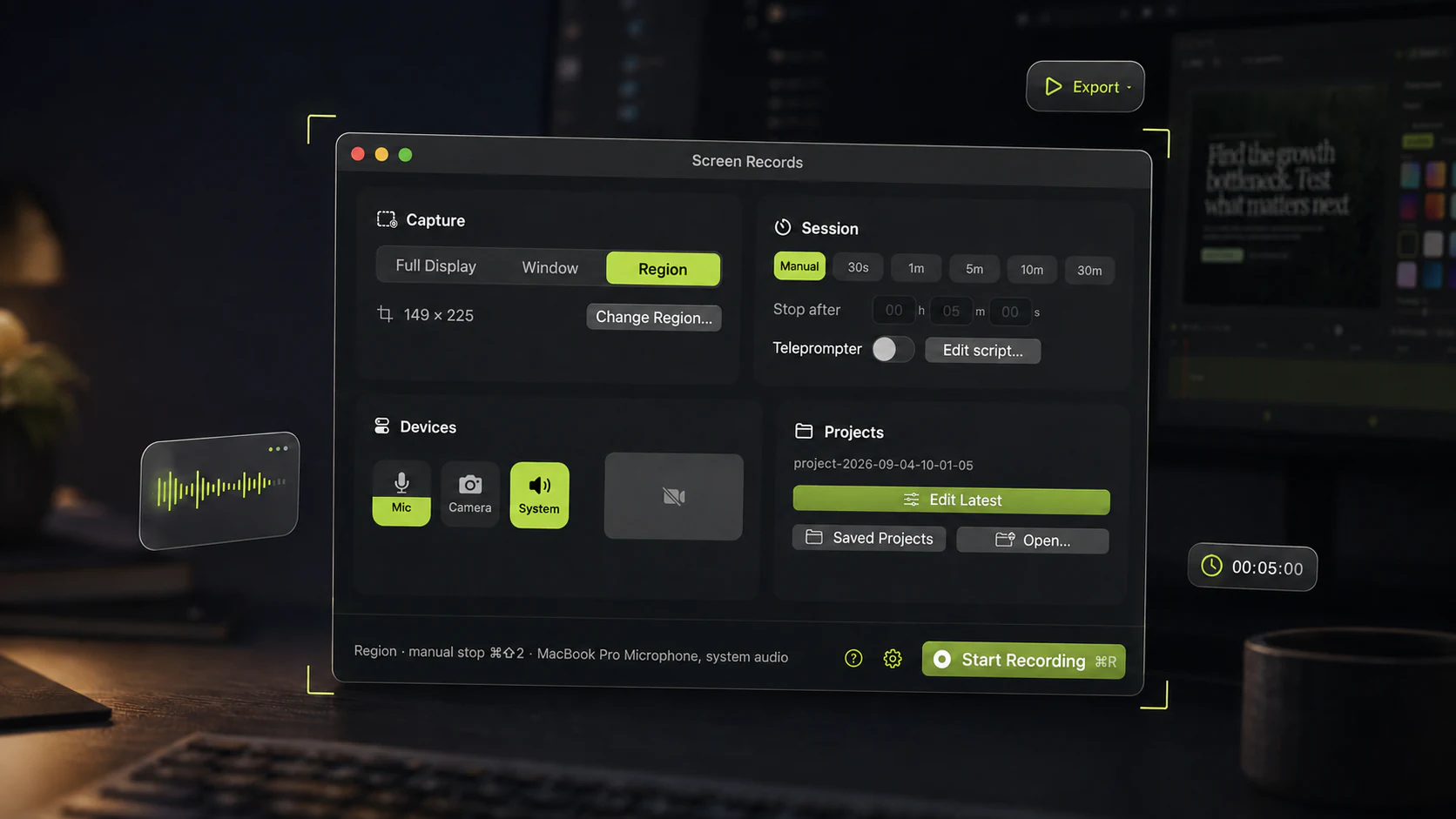
Record a window or a region, not the whole display. A judge is watching in a small player on a laptop, and a 4K desktop scaled into that player turns your interface into soup. Screen Records outlines the capture region on screen while you record, so you find out the sidebar is cropped before you start talking instead of after.
Set the recording duration to the cap before you hit record. If the rules say three minutes, record to three minutes. A hard stop does more for your pacing than any amount of good intention.
Camera on or off? On, small, in a corner, if you are going to say anything about why you built the thing. Judges remember faces. Background blur takes care of the fact that you are sitting in a room with two hundred laptops and somebody's sleeping bag. Off is also fine, and it is one fewer thing to go wrong at 4am.
If the venue is loud, record through the headphones already around your neck. Built-in mics pick up the whole room, and a room at hour 34 sounds like a room at hour 34.
If the demo makes noise of its own, a notification chime or a clip playing, that is system audio and a separate setting. macOS does not hand it over by default, so check it during the rehearsal instead of discovering a silent export at minute 19.
Minutes 7 to 12: record it
Lead with the payoff. First ten seconds: what it does and who it is for.
Weak: "Hi, we're team Blueberry, and over the last 36 hours we've been working on something we're really excited about..."
Strong: "This turns a photo of a receipt into a filed expense in four seconds. Watch."
Narrate intent, not clicks. "Now I'll upload the blurry one" is worth ten of "I click here, then I click here, then this dropdown."
Do not restart on a stumble. Stop, breathe, say the sentence again, carry on. You are cutting it anyway, and restarting from the top is how a three-minute video eats an hour you do not have.
Move the cursor deliberately. Move, stop, then talk. A pointer drifting in circles while you think is the most distracting thing you can show a tired judge.
Minutes 13 to 17: cut it
In this order:
Cut the dead air first. Split at the playhead, select the silence or the loading spinner, delete. That pass usually takes 25 to 40 percent off the runtime and improves the video more than everything else combined. If it needs more than two keystrokes in your editor, that is the real reason your demos never get edited.
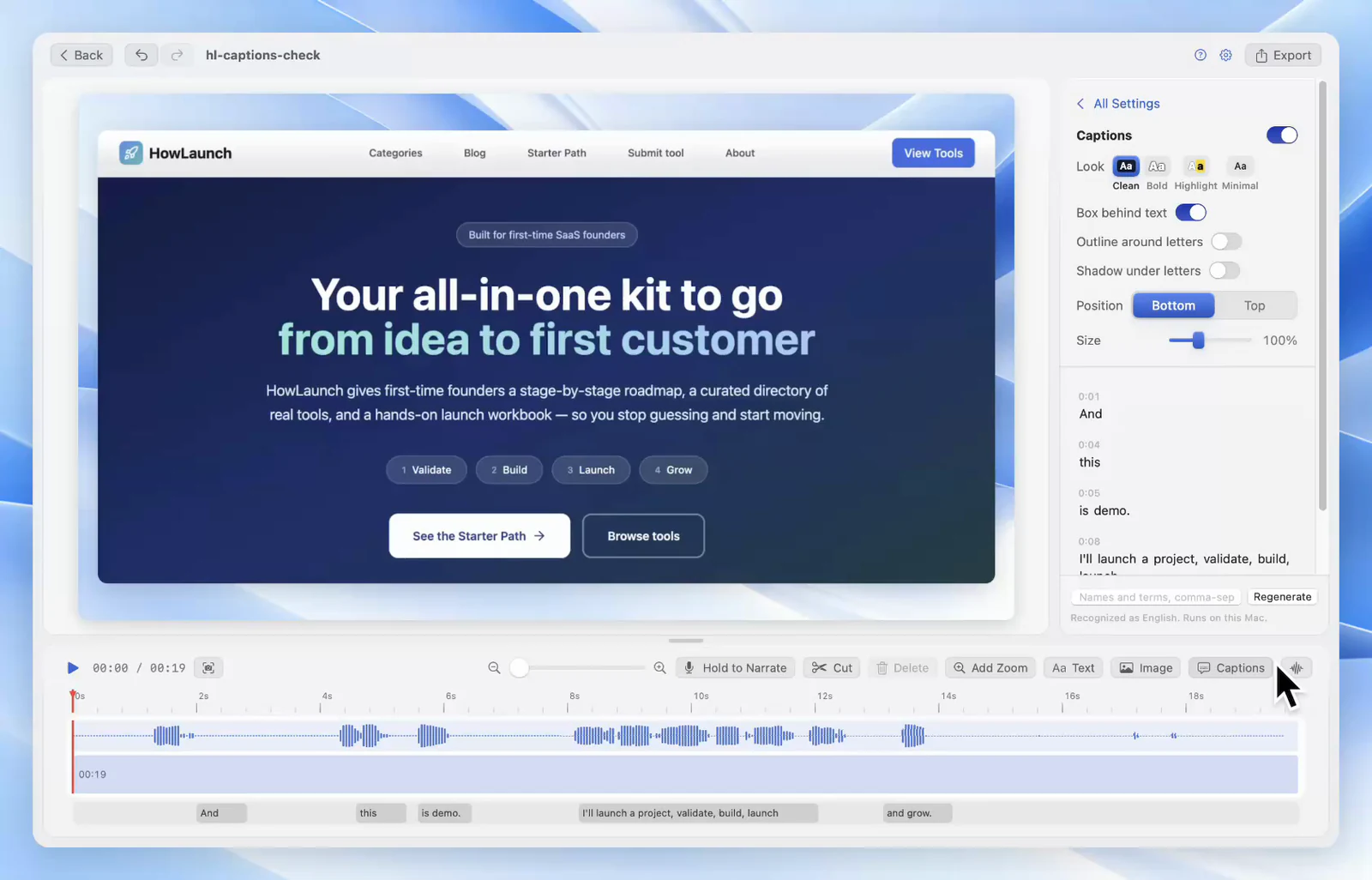
Speed up the honest slow bit. Something in your demo takes eleven seconds and cannot be faked: a model call, a deploy. Do not cut it, judges want to see it actually happen. Put it at 4x and keep talking over it.
Zoom where the detail is. Anywhere a judge has to read something small, the confidence score or the error you handled gracefully, drop a zoom marker on it. In as the click lands, out when you move on. Two or three a minute is plenty. More than that and the video gets seasick.
How far in to go and how long to hold takes a minute to learn and pays off on every video after this one.
If one sentence came out badly, re-record that sentence as voiceover over the timeline instead of reshooting the screen. Bad audio loses judges. A rough cut does not.
Minutes 18 to 20: export and publish
Export MP4 at 1080p, 16:9. YouTube accepts almost anything, but 16:9 is what fills a judge's player without letterboxing, and a vertical video in a submission form reads as an afterthought.
Then on YouTube:
- Upload as Unlisted, never Private. Private means judges open your link and see nothing, and that kills more submissions than any bug. Test the link in a private window before you paste it into the form.
- Title it like a product, not a filing. "ReceiptSnap: photo to filed expense in four seconds" beats "HackNYC 2026 Team 47 Final Submission".
- Put the repo link, the live URL, the stack, and what you would build next in the first lines of the description. Judges copy from there.
- Do not mark it as made for kids. It disables comments and link previews, and some submission platforms then fail to embed the video at all.
- Set a thumbnail if you have thirty seconds spare. A frame of your actual interface beats YouTube's auto-pick, which reliably finds the frame where you are mid-blink.
None of that is specific to hackathons. If you end up publishing these regularly, the full YouTube setup covers chapters and thumbnails properly.
Paste the link. Submit before the queue.
The failure list
Things that have sunk real submissions, none of them code:
- Video left on Private
- Ninety seconds over the cap, disqualified without being watched
- Demo account was empty, so every screen said "No results"
- Recorded the full display, unreadable in the player
- Built-in mic in a hall with two hundred people
- Ran out of time and submitted the raw seven-minute take
What actually needs a tool
Most of this is discipline and costs nothing. Two steps are not: cutting dead air, and adding zoom. Both land at 3am with twenty minutes on the clock, and both get skipped when the tool is slow.
Screen Records records the region, holds you to the time cap, and opens straight into an editor where split, delete, speed and zoom sit on the same timeline as the recording. Nothing uploads anywhere, so venue wifi never becomes your problem. Free to use, no account.
Share this post
Keep reading
- GuideThe 12-minute product demo recording checklistA repeatable setup for founder updates and SaaS demos: what to prepare, what to say, and what to cut before you send it.
- GuideHow to record your Mac screen with system audioWhy macOS makes internal audio awkward, the three ways around it, and how to get clean app sound on your recording.
- ComparisonQuickTime screen recording: what it can and cannot doQuickTime is free and already installed. Here is exactly where it stops — system audio, zoom, trimming — and what to do about it.