A ScreenFlow alternative for people who use a fifth of it
What ScreenFlow costs and does, why people switch, and which Mac alternative fits: a recorder with an editor, automatic polish, free tools or a pro NLE.
ScreenFlow is a full video editor that also records your screen. Most people looking for an alternative do not want less quality. They want less editor: something that turns a screen recording into a clean video in 10 minutes, without $199 upfront and a timeline built for productions.
If that is you, the answer depends on what you use ScreenFlow for today. If you use most of it, stay. The rest of this post is for people who use a fifth of it.
Everything below about ScreenFlow comes from Telestream's own product and store pages, checked on September 15, 2026.
What ScreenFlow costs and does
ScreenFlow is $199 as a one-time license. The Super Pak adds the first year of Telestream's stock media library for $275, and that library renews at $99 a year after. Premium support is sold separately and comes with a discount on future upgrades, so major versions are not free.
The trial is fully functional with no time limit. Every export carries a watermark until you buy. The store page lists support for Apple Silicon and Intel Macs on macOS Sonoma and Sequoia.
For that money you get a lot:
- Screen, camera and microphone recording at the same time, plus iPhone and iPad screens
- A multi-track timeline with nested clips
- Text and video animations, callouts and freehand annotations
- Closed captions
- A stock library of images, clips and music
- GIF, APNG, ProRes and MP4 export
That is a serious feature set. If you make course videos with titles, callouts, music beds and captions, it is built for your work.
Why people leave anyway
The price of an occasional edit. $199 before you have made one video is a lot if what you make is a 4-minute product demo every other week.
Too much editor. A multi-track timeline is great when you need five tracks. For "cut the mistake, zoom on the button, export," it is a lot of interface between you and the file.
Paid major versions. The license is one-time, but Telestream's own support bundle sells a discount on future upgrades. When a new major version ships, you decide whether to pay again.
The alternatives, by what you actually need
| If you mostly need | Try | Price model |
|---|---|---|
| Record, cut, zoom, voiceover, export | Screen Records | One-time, $29 |
| Automatic polish and share links | Screen Studio | Subscription |
| Free, and you do not mind a second app for editing | OBS Studio + any editor | Free |
| Free for personal projects | Cap | Free for personal use, paid for commercial |
| Professional editing beyond screen recordings | Final Cut Pro, DaVinci Resolve | Varies |
Screen Records
For people who use ScreenFlow to record, trim and zoom. Ours, so weigh it accordingly.
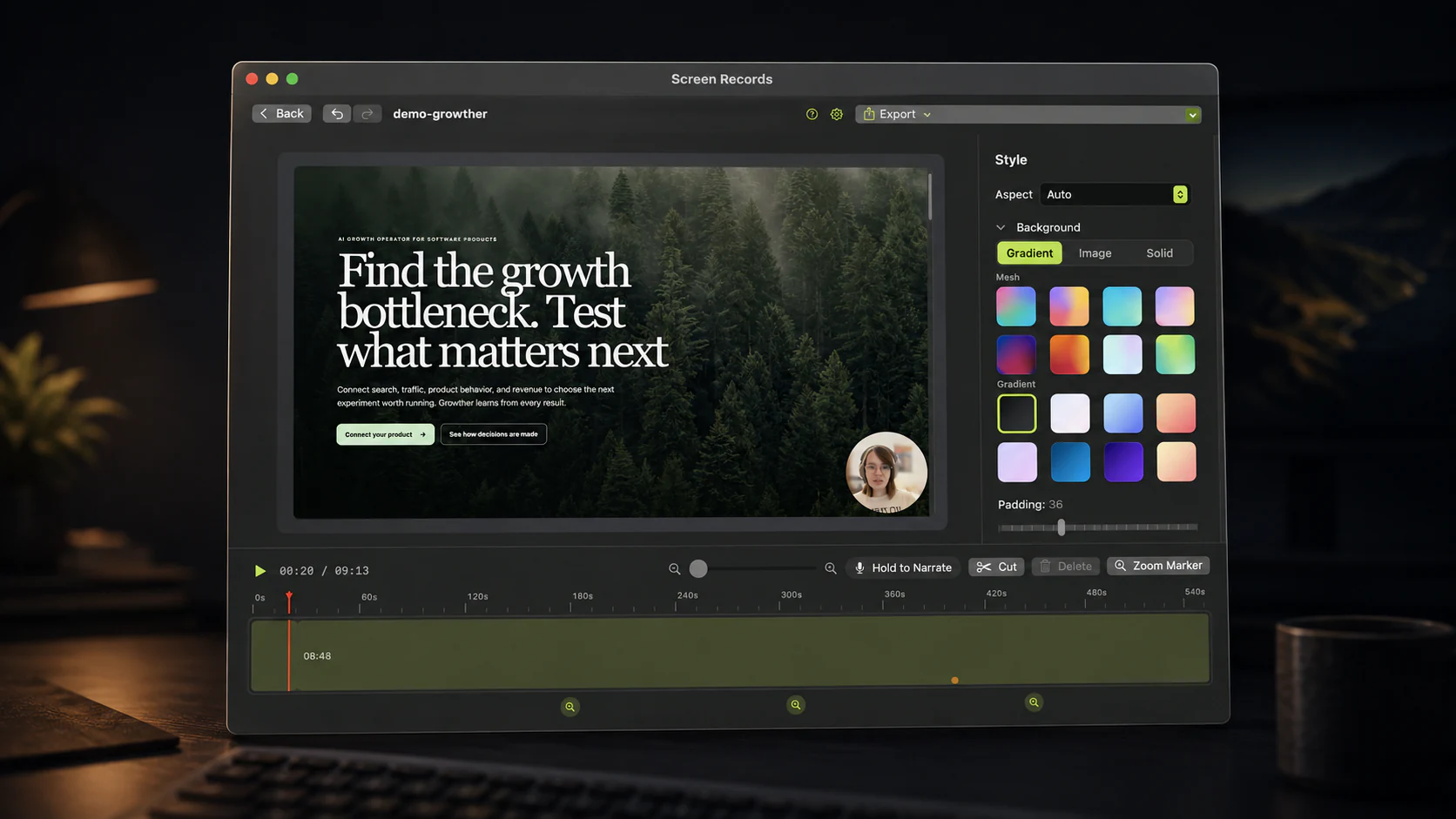
The recorder and the editor are one app. Stop recording and the project opens on the timeline. Split at the playhead and delete the fumble. Add a zoom span and click the part of the screen it should magnify. Hold to narrate a new sentence over a bad one, without recording the whole take again.
Captions come from a speech model that runs on your Mac, so no audio is uploaded to make them. A misheard word is fixed by typing over it in the captions panel.
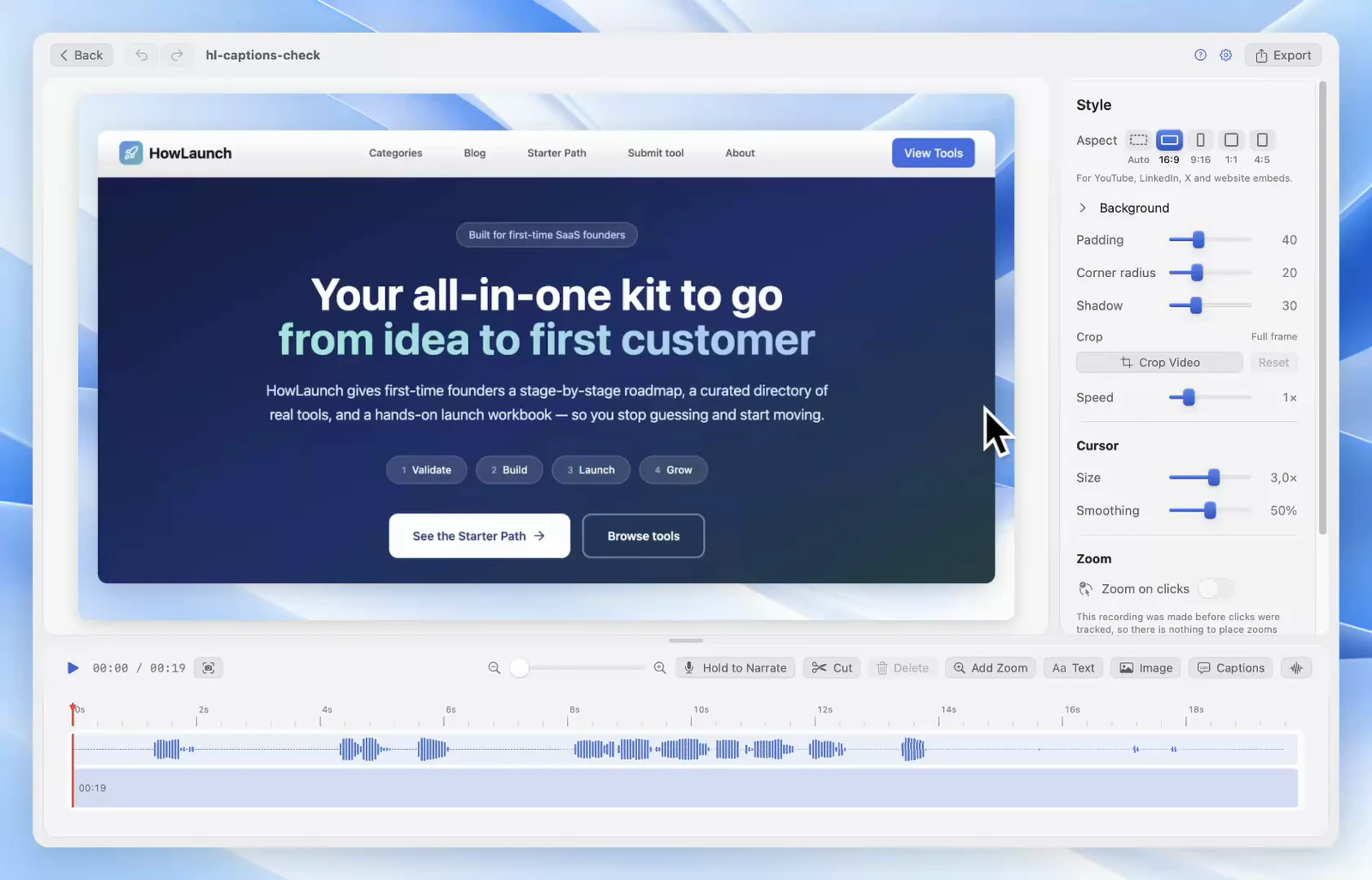
Microphone, system audio and camera record as separate tracks. The camera bubble takes different shapes and can blur your background, on-device. Export an MP4 at the aspect ratio you need, or the audio on its own.
It is $29 once for one Mac, with every future update included and no paid upgrades. The app is 12.1 MB installed. Recordings stay on your Mac.
What you give up coming from ScreenFlow: iPhone and iPad recording, callouts, text animations, a stock library and a true multi-track timeline. If two or more of those are in every video you make, Screen Records is the wrong swap.
Screen Studio
For people who want the app to make the visual decisions. Screen Studio zooms toward cursor activity on its own, smooths cursor movement, and offers shareable links. It can also record iOS devices, which ScreenFlow users often need.
It is a subscription. We compared it in detail in Screen Records vs Screen Studio, including its current prices.
OBS Studio plus an editor
For people who want free and do not mind two apps. OBS records the screen, camera and, on macOS 13 and later, system audio, with no watermark or time limit. It has no editor, so you cut in iMovie, DaVinci Resolve or anything else. Great result, more steps per video.
Cap
For personal projects. Cap is open source, runs on Mac and Windows, and its free plan includes local recordings and an editor with no watermark. Commercial use needs a paid plan, so check the terms if the video is for work.
Final Cut Pro or DaVinci Resolve
For people who use all of ScreenFlow and want more. If your videos have color work, multicam and motion graphics, move up to a real editor, not sideways to a screen recorder. Record with ⇧⌘5 or OBS and edit there. DaVinci Resolve has a free version.
How to decide in one test
Take the last video you made in ScreenFlow and list every editing feature you touched. Be honest about the ones you opened once.
- Cuts, trims, maybe a zoom: you are paying for an editor you do not use. Try Screen Records, free with a small badge on exports and $29 once without it.
- Cuts and zoom, and you would rather not place zooms yourself: Screen Studio.
- Callouts, animations, iOS capture: ScreenFlow is doing its job. Keep it.
Share this post
Keep reading
- ComparisonThe best Loom alternative for MacIf you used the link, pick another cloud tool. If you fought the 5-minute cap to make a video, pick a recorder with an editor. Options for each.
- ComparisonThe best demo recording tool for solo buildersYou are the whole production team, so the edit has to happen in the same window as the recording. Sorted by the four things solo builders actually record.
- GuidePause a screen recording instead of editing it outThe door, the slow build, the notes you lost the thread of. Pausing keeps that time out of the file entirely, so there is nothing to cut afterwards.